Volume Labeler
Medical ImagingAnnotate 3D volumes: paint labels on B-frames / enface, constrain work to a slab with boundary curves, inspect in 3D, and export label maps.
pip
pip install medics-ext-volume-labeler
Extensions add UI, menus, and workspace tools. They are discovered from pip packages.
pip install medics-ext-volume-viewer
medics
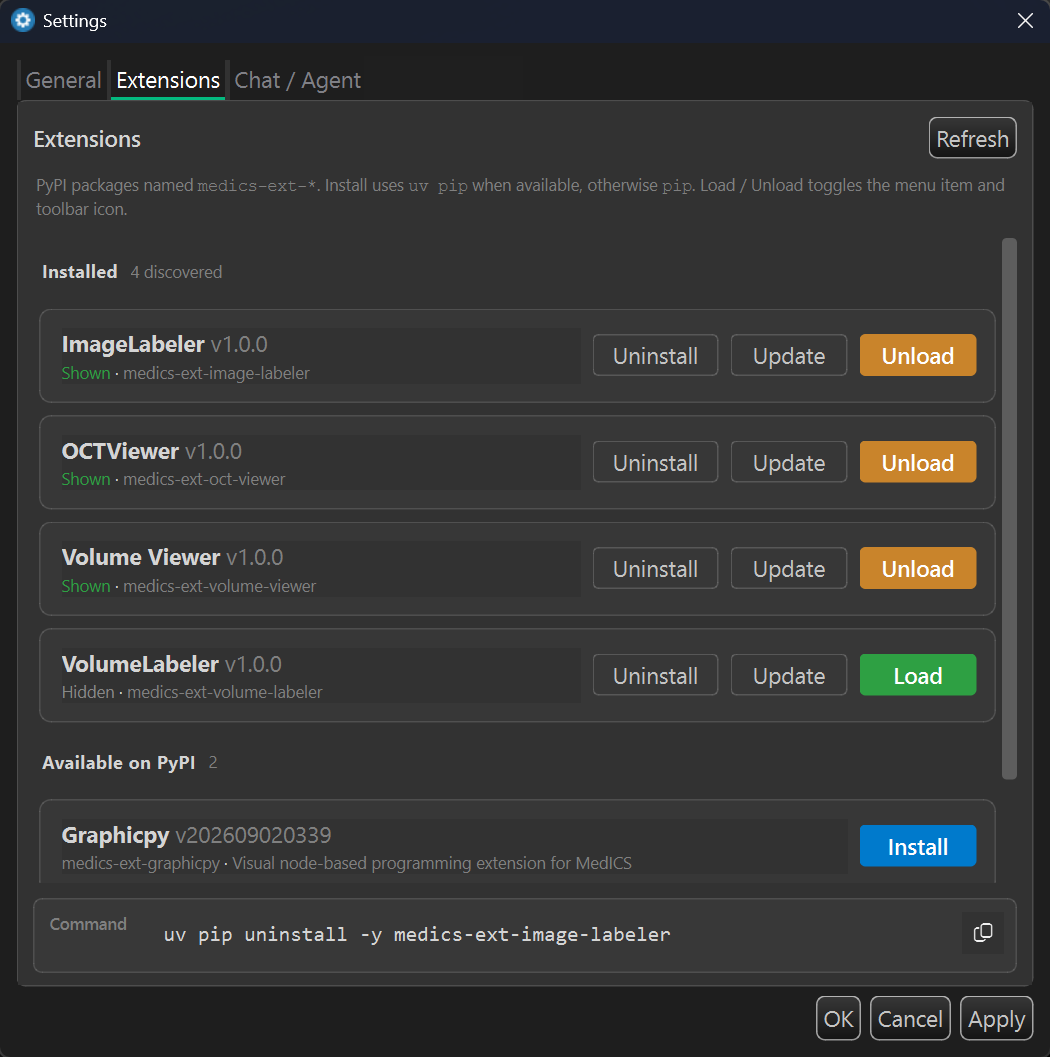
Loaded extensions appear under the Extensions menu and, if they provide a UI,
can open a tab or window. Enable, disable, and inspect them from the extension manager dialog.
Installed with uv instead? Use uv pip install ….
Maintained by the MedICS Team and published on
PyPI.
Install one with pip, then open it from the Extensions menu
(windowed extensions open as a central tab).
Annotate 3D volumes: paint labels on B-frames / enface, constrain work to a slab with boundary curves, inspect in 3D, and export label maps.
pip install medics-ext-volume-labeler3-D and 2-D volume visualization with GPU-accelerated rendering and multi-planar reconstruction (MPR).
pip install medics-ext-volume-viewerAnnotate 2-D images with multiple label types and annotation workflows.
pip install medics-ext-image-labelerOCT / OCTA visualization and analysis.
pip install medics-ext-oct-viewerAutomated retinal layer segmentation with quantitative features.
pip install medics-ext-retinal-layer-segmentationNode-based visual programming for building and running computational graphs.
pip install medics-ext-graphicpy
More official extensions are in development. Browse all published packages on
PyPI, or see the
wiki
for the full catalogue. Update one later with pip install --upgrade medics-ext-volume-viewer.
medics --create-ext
# or with a name:
medics --create-ext medics-ext-my-tool
A typical layout of an extension:
medics-ext-my-tool/
├── medics_ext_my_tool/
│   ├── __init__.py          # ExtensionInterface implementation
│   ├── extension.json       # Display metadata
│   └── ui/
│       └── main_widget.py   # Optional PySide6 widget
├── tests/
├── pyproject.toml
└── README.mdEvery extension implements:
def get_name(self) -> str: ...
def get_version(self) -> str: ...
def get_description(self) -> str: ...
def get_author(self) -> str: ...
def get_category(self) -> str: ...
def initialize(self, app_context) -> bool: ...
def cleanup(self) -> None: ...
def show_extension(self) -> None: ...
initialize(app_context) receives the running MedICS application instance, so the extension
can use the workspace, config, event bus, menus, and docks.
extension.json{
"name": "My Tool",
"version": "1.0.0",
"description": "Does XYZ",
"author": "Your Name",
"category": "Image Analysis",
"enabled": true,
"windowed": true,
"icon": null
}pyproject.toml)[project.entry-points."medics.extensions"]
my_tool = "medics_ext_my_tool:MyToolExtension"Lifecycle in short: discover → initialize(app_context) → menu/toolbar action → show_extension() → cleanup() on unload.
Run from the extension project directory:
medics --build-ext                 # plain Python wheel (default)
medics --build-ext --protect       # Cython-compiled, source-stripped
medics --build-ext -p              # same as --protect
medics --build-ext --upload        # build, then upload to PyPI (you must have an PyPI account)
medics --build-ext --upload --test-pypi